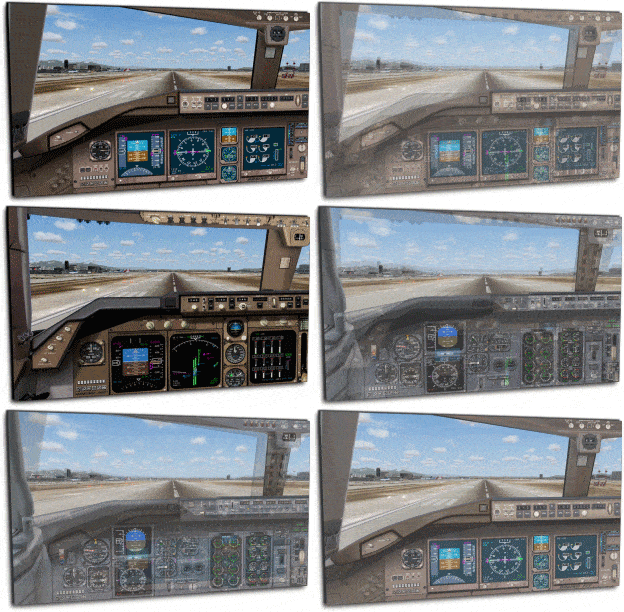
Sky-Decks Panel Design have released an interesting out of the ordinary add-on, best is we let them explain: “Did you ever wonder why the MSFS franchise didn’t include widescreen panel support for its 2-D panels? FS9 is arguably the best Flight Simulation product to date, but for whatever reason Microsoft chose not to add widescreen monitor support for the use of any of its 2-D panels. Instead, the FS enthusiast ends up with “stretched-out” versions of default panels when viewing them on widescreen monitors. Being only slightly annoying, the stretched 2-D panels may have led more enthusiasts to try out and switch to the updated level of detail that’s present within the virtual cockpit environment. However, the frequent need to zoom in and out just to read specific gauges has kept intact the need for quality 2-D panels. The ability to open an easy to read 2-D panel is still a favorite way to fly for many that use Flight Simulator… if only they came with widescreen support… ” …. More and screenshots after the jump.
Product is available from simMarket here!
Well, SkyDecks Panel Design has now brought about a widescreen solution for three of the most popular 2-D panels used in FS2004. The Boeing Jets, Widescreen Panel Pack, is the beginning of this work. The new widescreen panels brings about new detail and realism to the widescreen 2-D panel environment. Included in the package are the Boeing 737-400, the Boeing 747-400 and the Boeing 777-300. With detailed panel backgrounds and the utilization of many standard gauges, the newer widescreen versions of the Boeing airliners are true replacements for the default 2-D panel configurations found within FS9.
… “Not only do they look good, you’ll find that our newer widescreen panels can be used and function just the same as their 4:3 originals, along with some value added points as well. At installation, you’ll have the option of using one of two aspect ratios for widescreen monitor support: 16:10, 1440 x 900 (1.6:1) or 16:9, 1920 x 1080 (1.78:1). The 16:10 configuration is most popular for widescreen computer monitors, while 16:9 is used with most HDTV monitors. Say goodbye to those horizontally stretched 2-D panels once and for all!”