


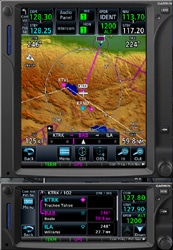
 Flight One Software have become the latest company to announce support between their products and FSX: Steam Edition, with the release of version 1.05b for their Garmin trainer-based GTN650 and GTN750 products.
While Steam Edition compatibility is probably the ‘headline’ modification, the update also allows third-party developers greater compatibility to integrate the GTNs with their aircraft systems and also bring a number of fixes.
Click “Read More” for the full press release.
Flight1 GTN Series 1.05b Update (FSX Steam Edition Support)
Flight1 Software is proud to announce that their popular GTN 650/750 Series Avionics has been updated to Version 1.05b. The update includes multiple fixes and enhancements, including Flight Simulator X – Steam Edition support.
The improvements within this update have allowed for greater compatibility with third-party developers to integrate the GTN Series avionics into their own aircraft. Major addon developers such as A2A Simulations, Alabeo, RealAir and others already have GTN specific integrations set up for their users or have planned to add GTN Series options in their future releases.
The Version 1.05b update includes the following:
- Flight Simulator X – Steam Edition Compatibility
- Fixed CTD related to operating systems that were not running in English
- Added a traffic alert sound when a TA is issued
- Fixed the calculated variable inside UTILITIES DALT/TAS/WIND page
- Minor general performance improvement
- Added a VC brightness option for VC integrated aircraft. This is configured using the F1GTNConfig. It defaults to 60%, which will solve the VC over-brightness and it is available only in the VC version of the gauge
- Added a warning in the F1GTNConfig if you already try adding a GTN inside a GTN pre-configured aircraft. We advise to use the F1GTNConfig to change the specific unit options.
- Fixed other bugs inside the F1GTN Config
- The GTN is now tied to the Avionics Bus as opposed to the Battery Bus
For more information, screenshots, and to purchase this amazing software, go to:
http://www.flight1.com/products.asp?product=f1gtn


