


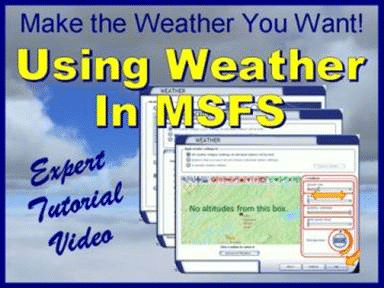
 Bill Stack from Topskills has issued a Press Release, announcing the release of his latest FS video guide, covering the weather features of the Microsoft Flight Simulator franchise.
“Do you want to simulate flight in realistic environments?
Do you want to precisely control the weather in your simulations?
Have you avoided the Weather option it seemed too complicated?
No Worries! Bill Stack’s latest tutorial video, Using Weather in Microsoft Flight Simulator®, shows you how to make realistic weather that’s easier than the simulation itself.”
To read the full Press Release, click “read more” below.
New Video Enables Control Over Weather
- Do you want to simulate flight in realistic environments?
- Do you want to precisely control the weather in your simulations?
- Have you avoided the Weather option it seemed too complicated?
No Worries! Bill Stack’s latest tutorial video, Using Weather in Microsoft Flight Simulator®, shows you how to make realistic weather that’s easier than the simulation itself. This all-new video issued by TopSkills shows how to use all the weather options in Microsoft Flight Simulator ® with ease – from themes, real-world weather, custom weather, and advanced weather. And it shows how to set up your simulator for the most realistic weather.
Bill Stack’s tutorial video, Using Weather in Microsoft Flight Simulator® is 21 minutes of professionally designed and produced instruction with deliberately prepared scripts, clearly spoken narration, and distinct audio quality. Your time is not wasted by unfocused ad libs and distracting “ums,” “ahs,” stumbles, and fumbles. Like all Bill Stack’s tutorial videos, it’s viewable on the most common video players such as Windows Media Player, Real Player, Quick Time, and Winamp.
You will also receive a free Aviation Weather Guide written by Bill Stack just for home flight simmers. It explains all the detailed information needed for making your clouds, winds, temperatures, pressures, and other conditions as realistic as possible within your MSFS. As a portable document file, it is readable with any software that reads PDFs, such as Adobe, Nitro, and PDF XChange.
And you will receive our free V-Speed card that lists common V Speeds alphabetically and in order of speed.
Using Weather in Microsoft Flight Simulator® by Bill Stack is intended for home flight simmers who want the best from their simulations. If that includes you, then this video is for you.
Click on this link to learn more about Bill Stack’s Using Weather in Microsoft Flight Simulator®.


