


Dublin Airport, ICAO: EIDW, is an international airport serving Dublin, Ireland. Its Irish name is: Aerfort Bhaile Átha Cliath. The airport is located approximately 6 miles north of the city of Dublin, Ireland. In 2012 just slightly over 19 million passengers passed through the airports facilities making it the busiest airport in Ireland in terms of passenger traffic. Aer Lingus which is the flag carrier airline for Ireland operates its headquarters at Dublin Airport. The airport has two runways; 10/28 @ 8,652ft and 16/34 @ 6,798ft.
Installation
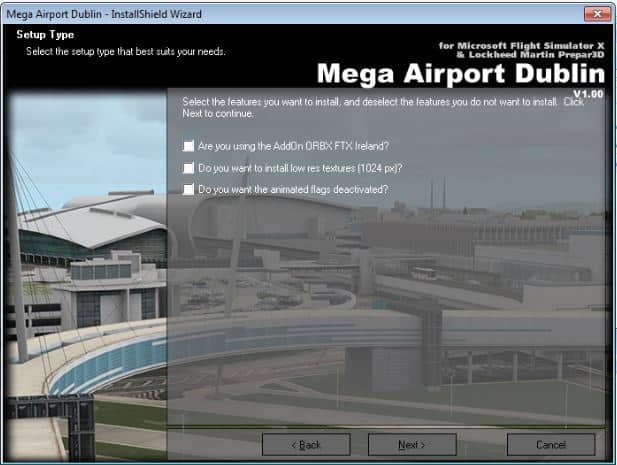
This review is of version 1.10 of the product for FSX. Installation was textbook Aerosoft requiring minimal intervention by the user. During the course of the installation you will be required to add your email address and the serial number provided at the time of purchase. You will also need to make several other choices such as which simulator you are using plus others that pertain to scenery related features.
 Documentation
After installing the product you will have access to two pdf documents; a German/English product manual and a charts document. The manual contains six pages worth of information. They cover the usual topics but because this is a complex addon that may cause performance issues they’ve also included information about the FSX setting, TEXTURE_MAX_LOAD, and their recommendations. There are also a few other tips on what you can try if you have performance issues.
The charts that are provided are quite extensive, at 41 pages they include everything you require to fly in and out of the airport. There is no need to search the internet for anything chart related.
Configuration
The product comes with two utilities; a scenery configuration utility and an AESLite configuration utility. The AESLite utility will be familiar to anyone who has ever installed an Aerosoft airport that comes AESLite enabled. It is self-explanatory; this is where you can enable or disable road traffic. The next utility is the Config-Tool; you have the option to enable or disable several scenery features plus it gives you direct access to the scenery folder where the documents are stored.
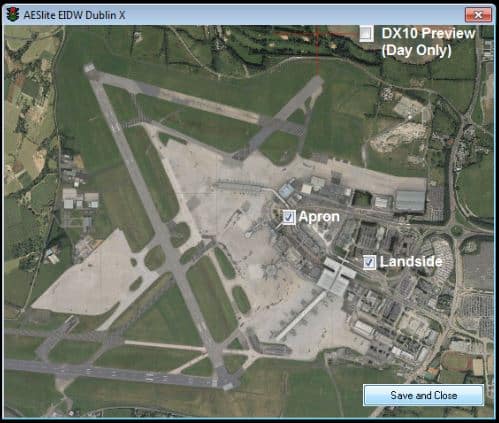 For the config-tool they use Windows 8 style tiles, call me old fashioned but I personally dislike the look. I think that the tile meanings are ambiguous and prefer the more traditional style of buttons with text.
 Scenery
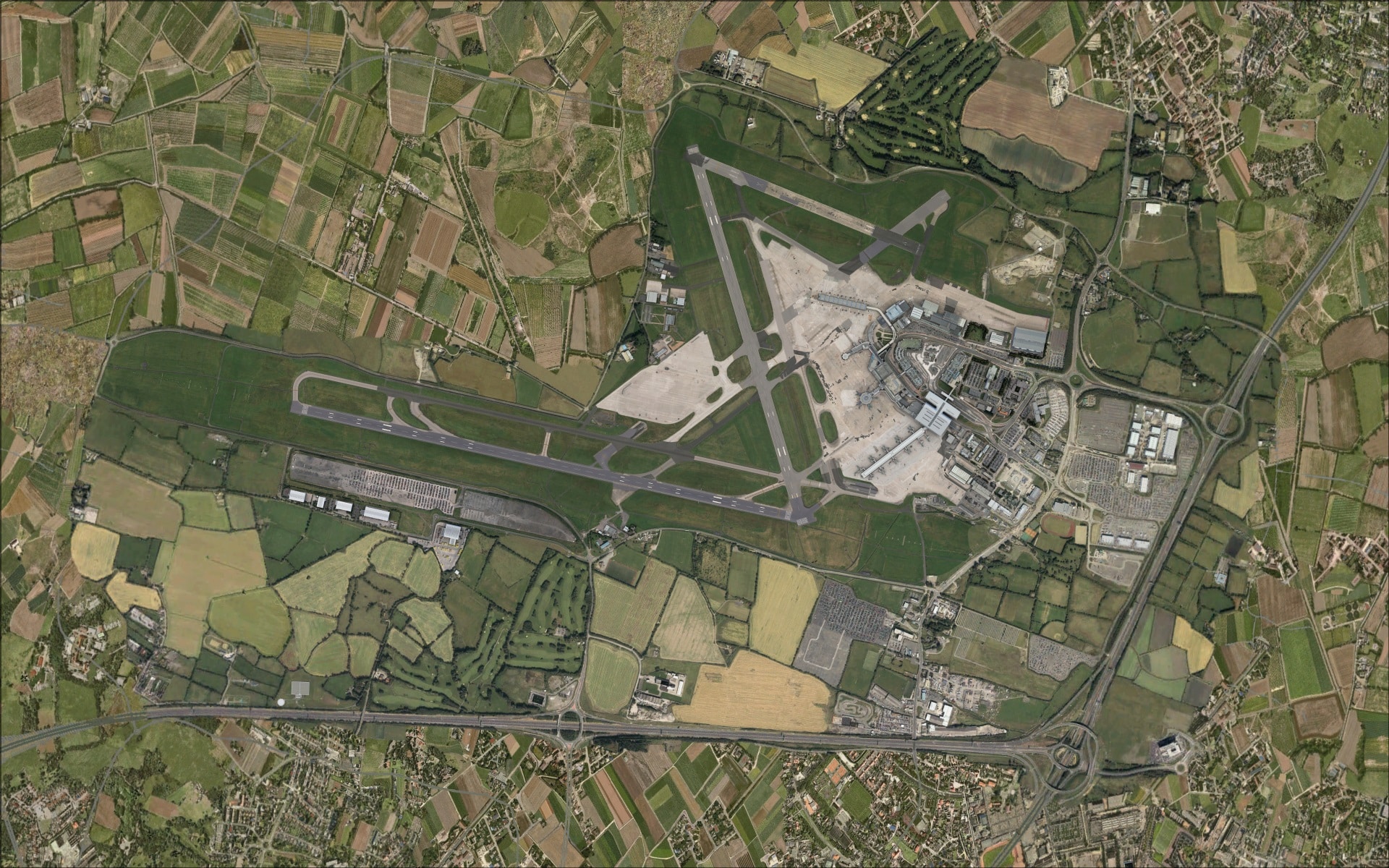
The scenery coverage area consists primarily of the airport. It does extend slightly beyond the airport’s perimeter with boundaries along several major nearby roadways. The screenshots clearly show the huge differences between this product and what Dublin looks like in FSX.



 Ground textures
High resolution photo ground textures were used throughout providing a very realistic base for the entire scenery area. Nice sharp crisp details could be seen everywhere; roads, parking areas, etc. Even when viewed at ground level the details were all clearly visible with very little blurring. Hard surfaces areas also showed plenty of detailing including signs of wear and tear. Also noticeable were variations in colouring such as you might find due to differences in materials or where sections of concrete or asphalt might have been subject to repairs or resurfacing at some point.

 Buildings
I was very happy with how they recreated the airport’s structures. Overall I thought that the results were very good, even when scrutinized up close the results were impressive. Several things stood out as I examined their work. They made extensive use of high resolution imagery that exhibited lots of detailing. It was especially evident in those areas covered in glass; the clarity of the details gave the illusion of transparency. There are many examples of this in numerous buildings throughout the entire addon.
 To further augment and complement those detailed images they added lots of additional 3d objects such as wall mounted light fixtures and exposed stairways. Structural features such as recessed doorways, windows and roof top objects were also added to some of the buildings. The combination of all of these visual features gave the airport some very realistic looking structures. In the real world if you take a close look at any building there are very few flat surfaces and when you look here we see that the they’ve captured these complexities.

 The airport has two terminals each with its own unique design. Terminal 1 which was originally opened in 1972 is the more conventional of the two and consists of a main terminal building and three piers. Terminal 2 which was opened in 2010 has a double curved roof with each side resembling the leading edge of an aircraft’s wing, it has a single pier. Each of the terminals has its own interesting features such as the elevated tubular design walkway form the multi-level parking garage to terminal 2 and terminal 1 also has an elevated walkway but this one is supported by multiple cables. These are only two of many features seen throughout both terminal complexes. These and many other less obvious ones can be seen in the following screenshots
Terminal 1


 Terminal 2


 Moving away from the two terminals I’d consider the remainder of the airport’s structures to be “traditional” in design. These other buildings consist of the control tower, cargo terminal, fire station and the various hangars located throughout different parts of the airport.


 As you can see in the screenshots many of the hangars look very similar however each has unique characteristics and you can see these as you look at each one. Roof design and overall building size are two obvious ones. Then there are the door types, they range from large overlapping multi-panel doors to smaller accordion style doors. Also the shape of their openings is different. I was impressed with how they captured the individual look of each one.


 In addition to the buildings at the airport they’ve included a few others that I thought played an important role in enhancing the product. In the area near the airport’s main entrance are several hotels, the Radisson and Maldron Hotels. Also just south of run way 10/28 there are a few other detailed structures. These addition structures help to enhance the visuals from any vantage point.


 Objects and Vehicles
The quality of their work was also very evident in this aspect of the scenery. What I look for here are a number of things; the objects/vehicles that are part of an airport’s infrastructure and those that play a role in the day to day operations. Items such as the different types of lighting, MET equipment, fencing, signage, etc. Those are the more obvious ones but I also like to see what they’ve added in the way of those items that are less noticeable and often times only grab your attention when you start to take a closer look. Objects in this category would include such things as safety pylons, trash bins and concrete barriers. In my view, they excelled on both counts. When looking at vehicles I very much liked what I saw here as well. Besides the quality and diversity of vehicle types many were also painted in airline colours. This is a great little visual enhancement for adding a bit of extra realism to an airport. Viewing the airport from the ground in the cockpit of an aircraft all of these various bits and pieces work together to make the whole experience very realistic and help draw you into the scenery.


 Seeing the airport from above you can better appreciate the entire airport. It is less about the individual parts, and more about how everything fits together to make the entire modelled area seem realistic while you are flying around, and in my view it was just as impressive. No matter where I looked, be it around the runway/taxiways/aprons or on the roads leading up to the terminal complex they succeeded in adding those objects/vehicles that brought the scenery to life.
 Animations
Apron and road traffic are the two predominant animations. I was most impressed by the variety of vehicle types travelling throughout the scenery; within the airport and on nearby roadways.
If you take the time to explore the scenery near the airport’s entrance you’ll also see they’ve added animated flags that appear to move with the wind.
Night
I have to say that I was impressed with my night time experience at Dublin airport. Lighting effects were very well done and gave the entire airport a very realistic look. They definitely paid attention to details. In addition to the usual building and ground lighting effects they included a few that elevated the quality to the next level and enhanced the overall ambiance. The overhead apron lighting has the halo effect which I enjoy, it looks as though the light is penetrating the humid night time air. The other one I noticed had to do with static vehicles on the aprons. The direction that the shadows were being cast corresponded to the position of the light source.


 Performance
Reading the forums the scenery appeared to have OOM issues when it was first released. By the time I installed the product version 1.10 had been released and in my experiences flying various complex aircraft I didn’t encounter any OOMs or any serious performance issues that in any way diminished my enjoyment of the product. In my setup I ran with texture max load set to 2048 and decided to reduce my AI traffic from my usual 80% down to 70%.
Final Thoughts
I really enjoyed this product, it is a solid piece of work that is visually interesting. There are very few quality 3rd party addons for Irish airports and this one helps to fill that void. I felt that it was good value for the price and deserves a place in the scenery library of every FSX enthusiast who has an interest in this part of the world.
My Ratings
Installer: Very good.
Documentation: Good. Also includes a full set of charts.
Modelling: Very good. Lots of high quality details.
Extras: Scenery configuration utilities.
Download Size: FSX 764Mb
Price: EUR 20.97 without VAT
Developer Homepage: http://www.aerosoft.de
Link: http://secure.simmarket.com/aerosoft-mega-airport-dublin-fsxp3dv1p3dv2-%28download%29.phtml
Test System:
Intel i7 960 OC @ 4.2 Ghz, 6 Gb RAM, Gigabyte GTX780 w3Gb video, Win 7 Ultimate 64, FSX w/acceleration, DX9, UT2, REX Overdrive, GEXn, UTX, AES, GSX, FSUIPC.
Richard Desjardins


