


It is remarkable how a piece of hardware that took years to reach the mass market can prove itself absolutely indispensable in the blink of an eye! To put it simply: the immersion during flight preparation and system management elevates the simulation to a completely new level. For true Airbus enthusiasts, this panel is the missing piece of the puzzle.
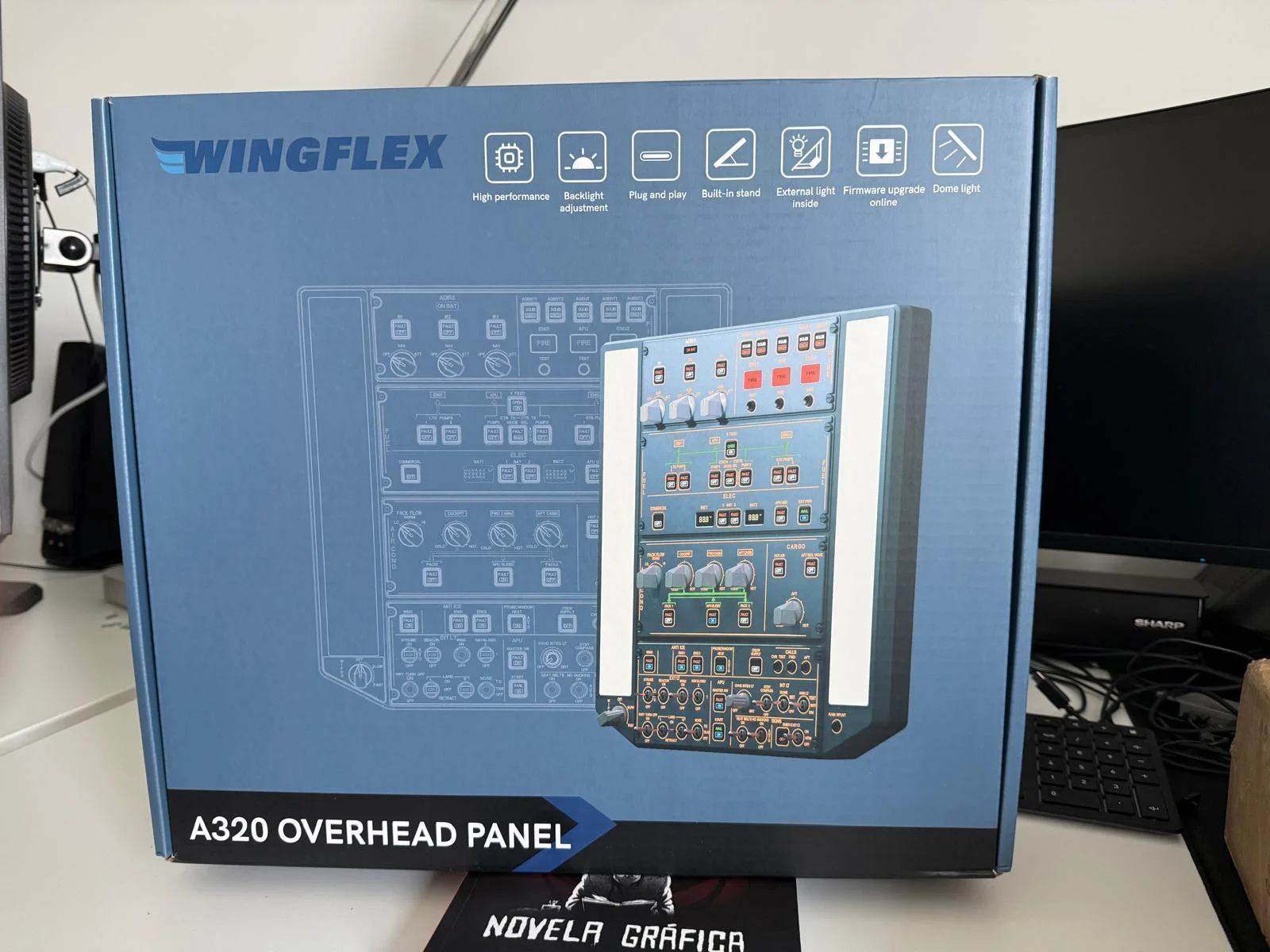
It’s no secret that I’m quite a fan of WingFlex products. In the past, I’ve written extensively about their lineup, including the WingFlex Cube Combo + Console, the A320 MCDU, and the A320 Combo (FCU & EFIS R+L) (in German).
This unit was provided by the manufacturer for review purposes. I conducted my testing in MSFS 2024 using the Fenix A320.
Today, the spotlight is on the WingFlex A320 Overhead Panel. It’s a solid unit measuring approximately 35 x 40 cm, priced at $599.00 USD. This block is packed with switches, push buttons, rotary knobs, and lights—lots of lights!
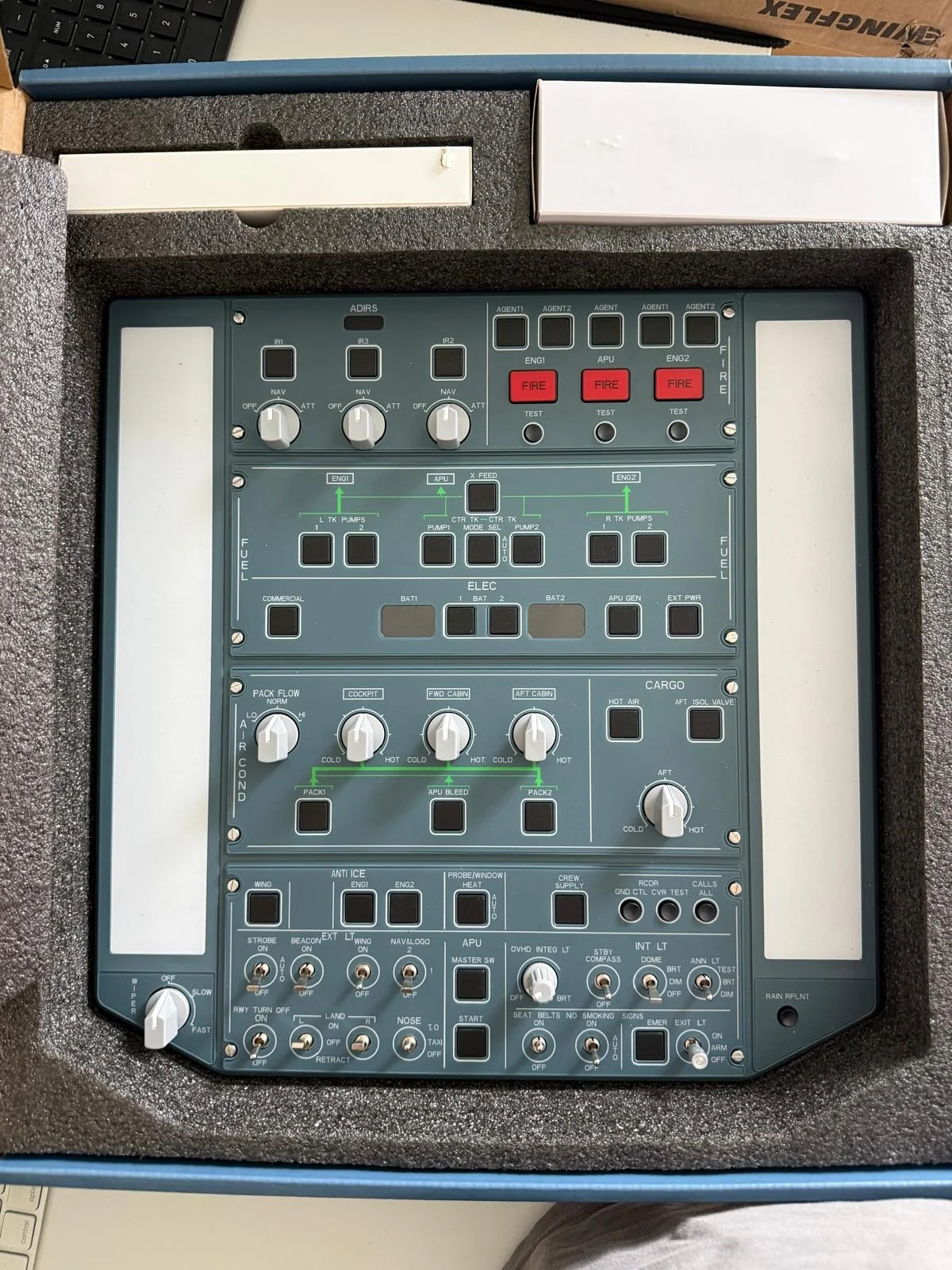
First Impressions and Mounting
My first impression upon unboxing was actually a bit sober: everything felt slightly lightweight, almost fragile—especially the switches in the lower section for internal and external lighting. In practice, however, this quickly proved to be a non-issue.
When it comes to setup, there are two straightforward options:
- Desktop Mode: Directly on the desk using the integrated, fold-out stand on the back of the unit.
- VESA Mount: The panel can be securely attached to a monitor arm or similar hardware via four standardised screw points.


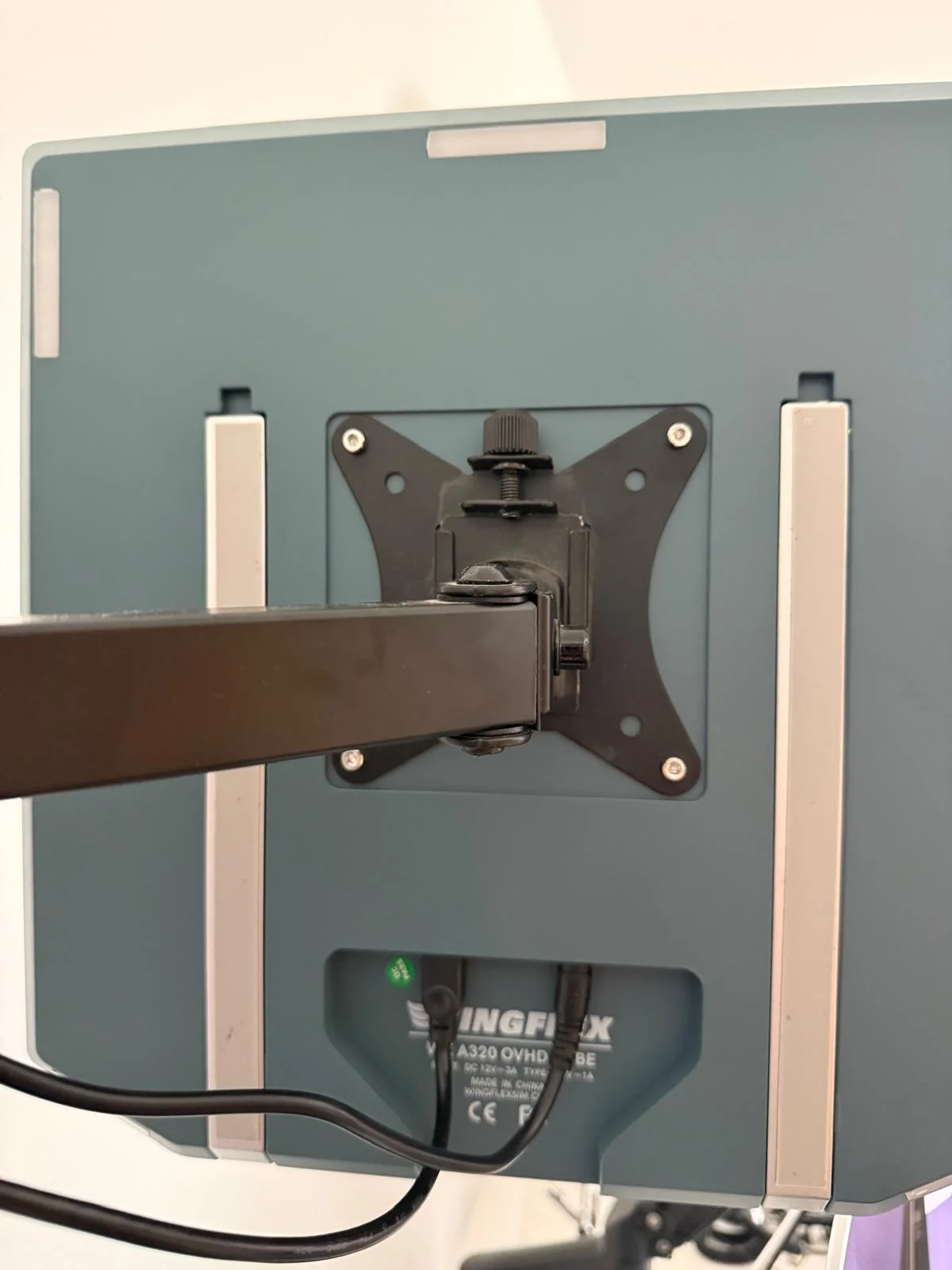
I opted for the VESA solution. Firstly, I lacked space on my desk; secondly, I already had a dual monitor arm in place; and thirdly, this positioning feels the most realistic. Power and PC connectivity are handled simply via the included 5V power supply and a USB cable (USB-A to USB Type-B).


Features and Software
The panel includes all the controls actually required for daily flight operations. To optimize the footprint, a few elements are not in their exact original positions—for example, the “Calls” push buttons (cabin pings) are located on the right side. However, you get used to this very quickly.


A major highlight is the Dome Lighting, which is unmistakably located on both sides of the panel. It is correctly operated via the Dome switch and can be adjusted in two stages (Dim and Brt). This serves as excellent ambient room lighting during flight preparations.
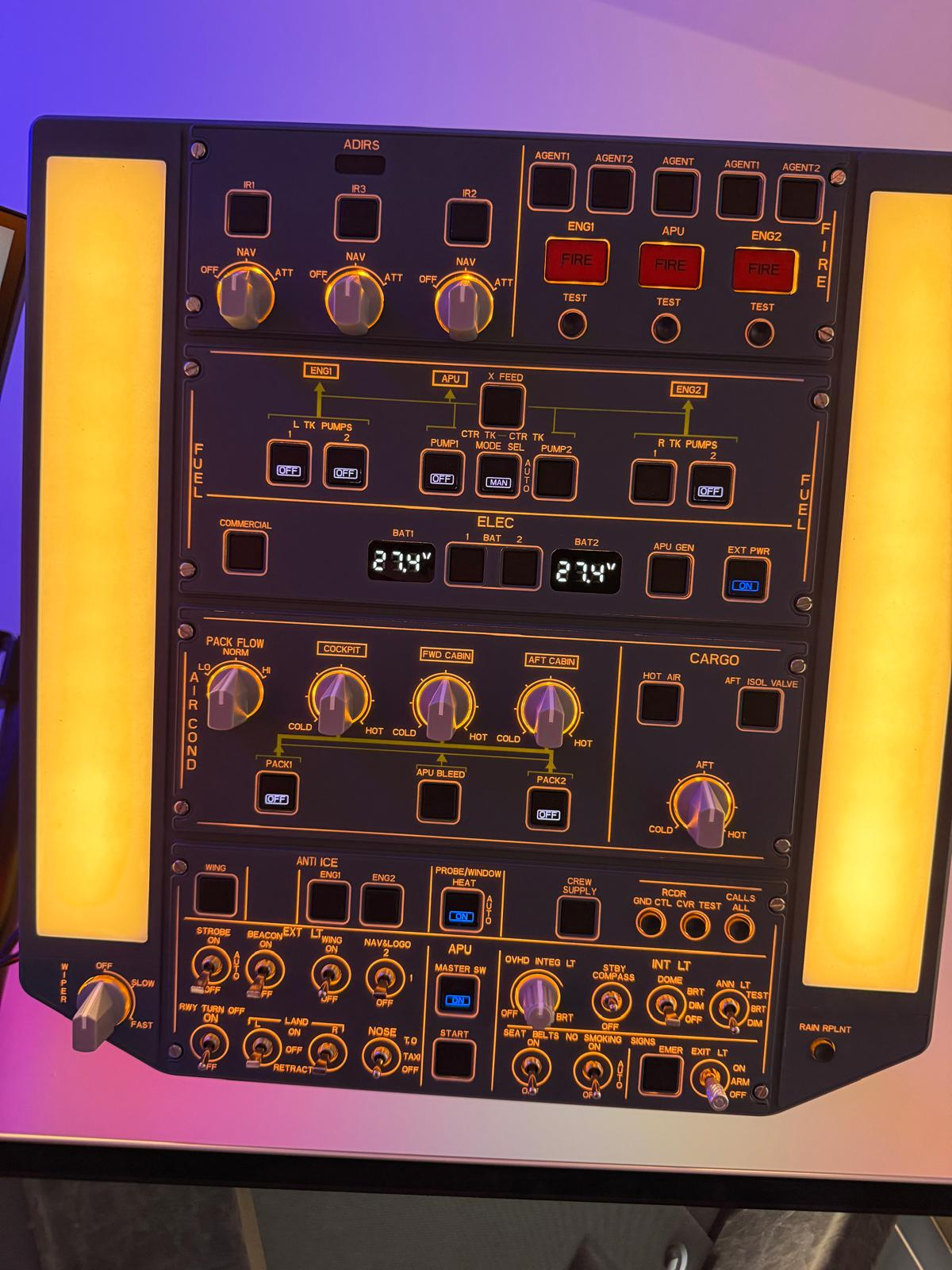
A second lighting highlight—or perhaps more of a clever gimmick—is the representation of external light elements on the back of the panel. This adds a great show effect, especially during evening sessions.
In the accompanying WinBridge app, light intensity can be flexibly regulated or turned off entirely.
Additionally, you can configure whether the wiper switch operates only the left wiper or both simultaneously.
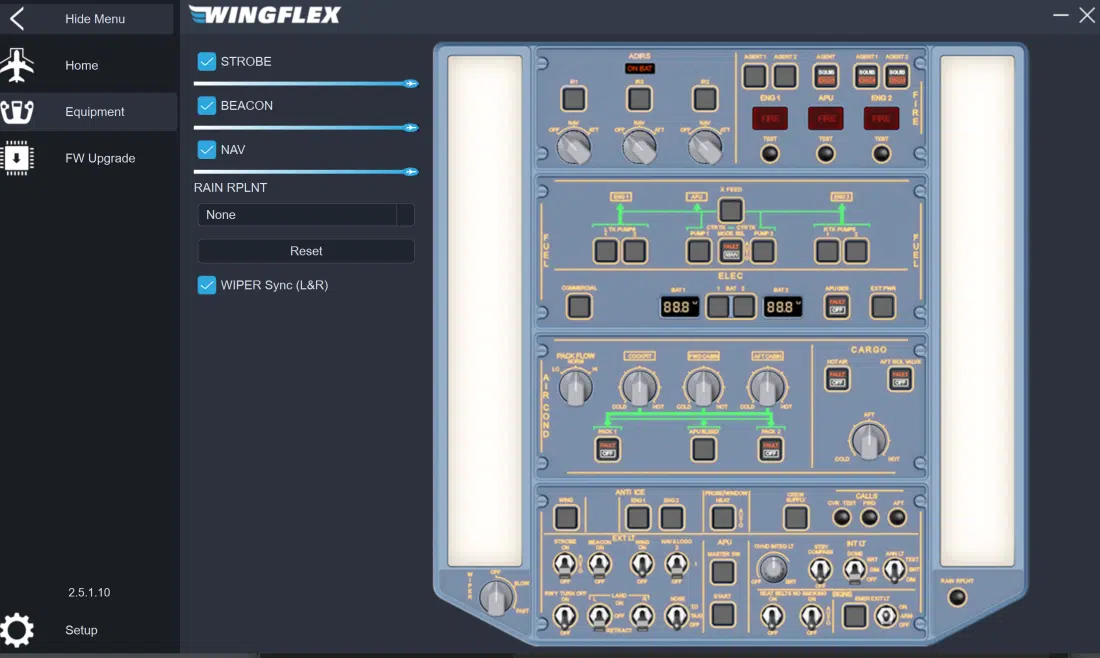
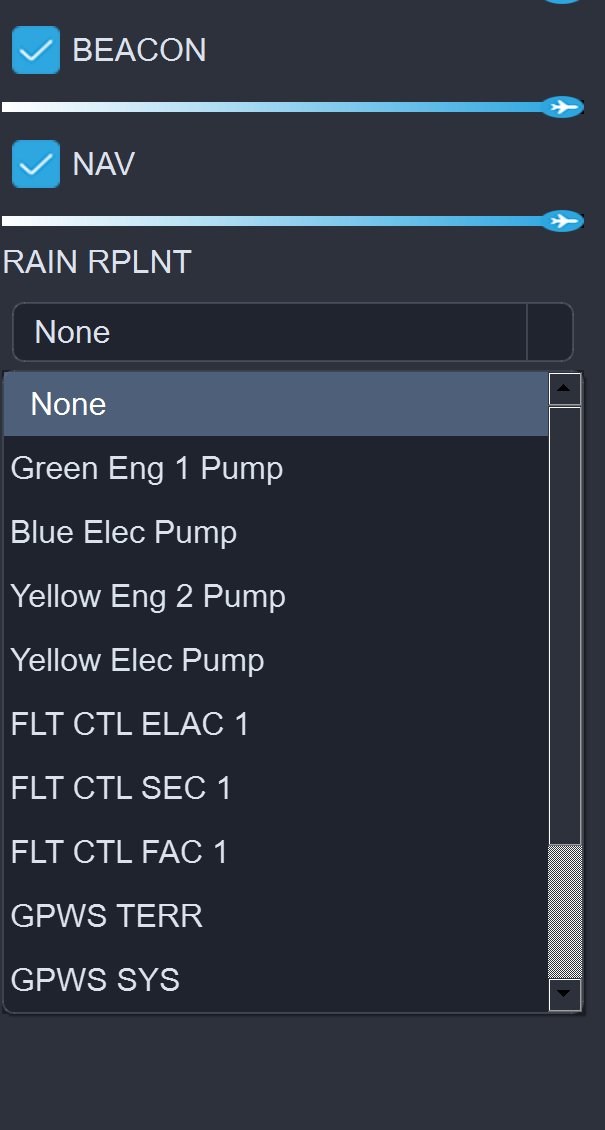
Another interesting detail is the RAIN RPLNT push button on the right side. In real-world operations—on aircraft equipped with such a system—this sprays a chemical onto the windshield to repel rainwater. In the WinBridge software, this button can be assigned an alternative function. Current options can be viewed directly within the app’s interface.
The rotary knob for background lighting (OVHD INTG LT) of all elements is fully functional, just like the original, and synchronizes directly with the flight simulator. The start-up sequences work remarkably close to the real thing, and even the Fire Tests can be performed with high realism.
Conclusion: A Game-Changer for the Home Cockpit?
The WingFlex A320 Overhead Panel is a prime example of why hardware shouldn’t be judged solely by the first haptic impression. While the light weight and “plastic-heavy” feel of the switches might cause brief skepticism during unboxing, that doubt vanishes the moment the panel is mounted and the first lights flicker to life in the cockpit.
Value for Money
At $599.00 USD, the panel is certainly an investment. However, compared to professional replicas that often cost double or triple, WingFlex occupies an extremely exciting market niche. You get a functionally almost complete overhead that is ready for immediate use without complicated configuration.
Immersion and Workflow
The greatest gain is undoubtedly the Immersion. The A320 feeling doesn’t come from looking at a screen, but from reaching over your head. The synergy between the hardware and the WinBridge software is impressive:
- Realism: Start-up sequences and fire tests feel “genuine.”
- Flexibility: Re-assigning functions like the Rain Repellent button shows this was developed by simmers, for simmers.
- Ergonomics: Breaking free from the mouse is the decisive step from a “computer game” to a flight simulation.
Who is it for?
Casual flyers might shy away from the price. But for ambitious A320 pilots who value a fluid workflow (MCDU, EFIS, and now the Overhead), this panel is the missing piece. The minor deviations from the original layout are negligible in the heat of the moment and a fair compromise for the compact design.
Final Verdict: Despite the initially “flimsy” feel, the WingFlex Overhead delivers 100% in daily practice. It is robust enough for intensive simulation use and elevates the flight experience to a whole new level. Once you’ve turned on the room lights via the physical Dome switch in a dark room, you’ll never want to go back to the mouse.
An absolute must-have for every Airbus enthusiast!
At a Glance: Pros & Cons
| Pros | Cons |
| Massive Immersion Boost: Finally, no more clicking over your head with a mouse. | Initial Haptics: Feels a bit “plasticky” at first touch. |
| Plug & Play: Easy connection via USB and 5V power supply. | Layout Deviations: Some buttons (e.g., Calls) are not in the original positions. |
| Clever Features: Dome light as room light and fully functional Fire Tests. | Price: At $599, it’s a significant investment for a home cockpit. |
| Versatile Mounting: VESA compatible or simple desktop stand. | |
| WinBridge Software: Allows for useful reassignments (e.g., Rain-Rplnt button). |
Available directly from the manufacturer here: https://wingflex.com/index.php?id=2394


