

The competition in the affordable flight simulation hardware market is fierce. More and more manufacturers are entering this segment, producing in China and flooding the global market with their products. For the customer, this means one thing above all: a massive selection!

WingFlex is one of these manufacturers, and I have previously tested their first A320 products, including the full-scale (1:1) FCU & EFIS R&L Combo (in German), the Wingflex A320 MCDU, and have written various articles about their other upcoming releases.
The Cube components are a smaller version of the original instruments, scaled to 80% of the original size—something that initially bothered me. Consequently, I left them in their boxes for several months. The prospect of having three loose instruments sitting on my desk didn’t appeal to me either.
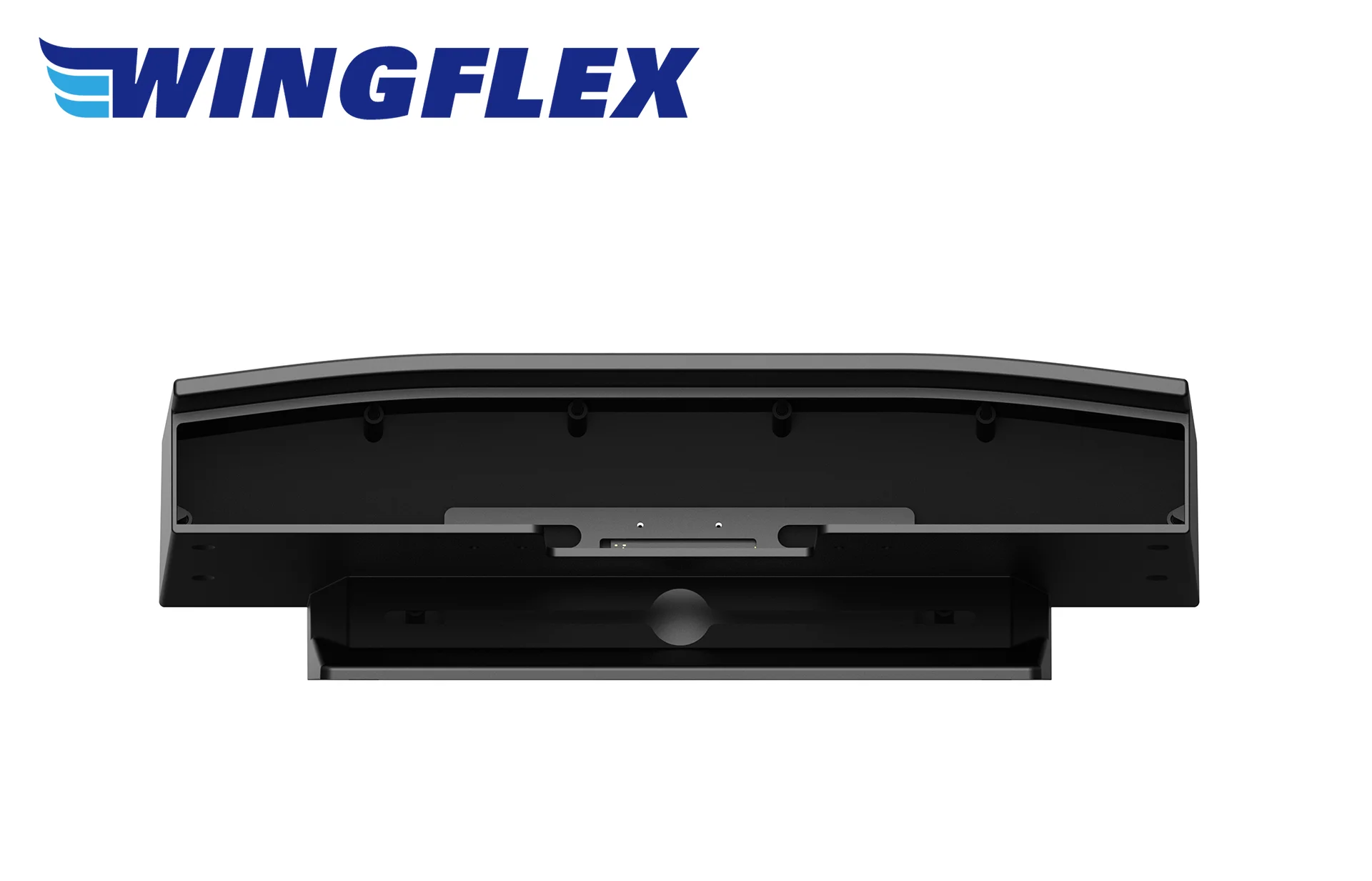
However, last week I received the newly launched CUBE STAND, a console designed to house all three instruments. I finally decided to mount everything and get it ready for operation. The process was incredibly easy: unpack the devices, connect the existing USB-C cables inside the console, and secure everything with the six included Allen screws. A small USB hub inside the console merges the three USB-C cables so that only a single cable leads out to the PC.
The three instruments included are:

A320 EFIS CUBE
The left EFIS Unit
The WingFlex A320 EFIS Cube is a compact, backlit module for controlling the EFIS functions of an Airbus A320 in flight simulation. as a plug-and-play USB device, it allows for the physical adjustment of parameters such as barometric pressure, navigation modes, and map details. The module serves as a space-saving addition to home cockpits and is compatible with all major flight simulators.
A320 FCU CUBE
The Unit in the middle

The WingFlex A320 FCU Cube is a compact control module for operating the autopilot functions of an Airbus A320. The device features physical rotary knobs and LED displays for speed, heading, altitude, and vertical speed, along with integrated backlighting. As a USB plug-and-play solution, it integrates space-efficiently into home cockpits.

A320 RMP COMBO CUBE – This is the right-hand unit, which is used here instead of the right EFIS
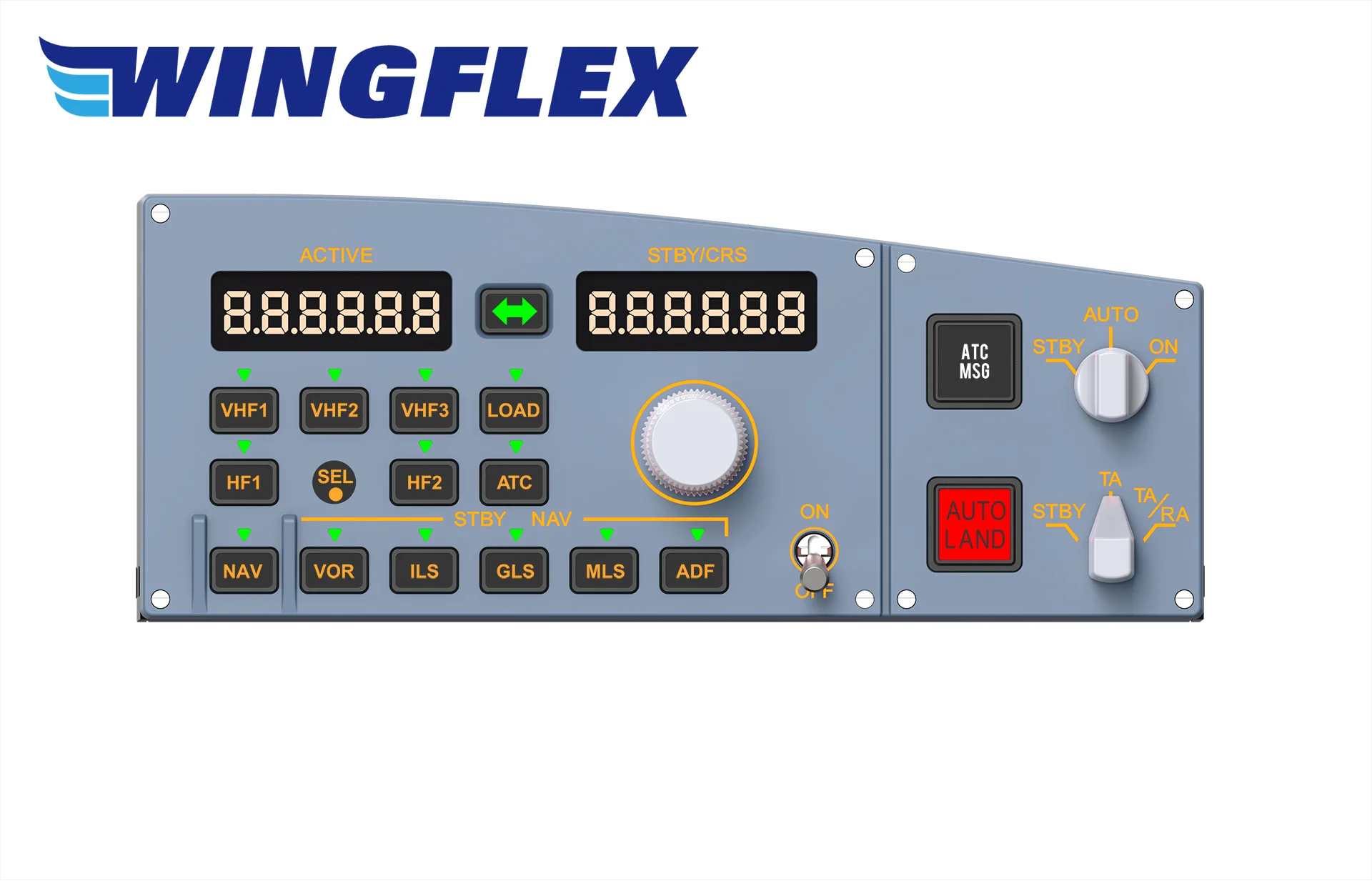
The WingFlex A320 RMP Combo Cube is a compact module for combined control of radio frequencies (COM/NAV) and the transponder (XPDR). The device offers physical rotary knobs and digital LED displays for frequency selection and is fully backlit. This allows for tactile operation of communication systems.
Assembly
As described above, unifying these units was seamless. Here are the results:


A Few Pleasant Surprises!
The Size
To my surprise, the 20% reduction in size turned out to be a true blessing! Compared to the original size, it saves so much space on a chronically crowded desk surface—approximately 11 centimeters in total length.
Stability
The console sits very firmly on its large base, ensuring it doesn’t slide around when operating the rotary knobs or, more importantly, when pressing the buttons and switches.
Appearance
The console gives the entire unit a unified look with its rounded top edge. This looks much tidier on a desk than competing models, which are often better suited for installation in full-scale cockpit replicas.
The Extra Left Panel of the EFIS Unit
The EFIS Cube unit features an additional warning panel on the left side, which includes these four functions:
- SIDE STICK PRIORITY
- CHRONO
- MASTER WARN
- MASTER CAUTION
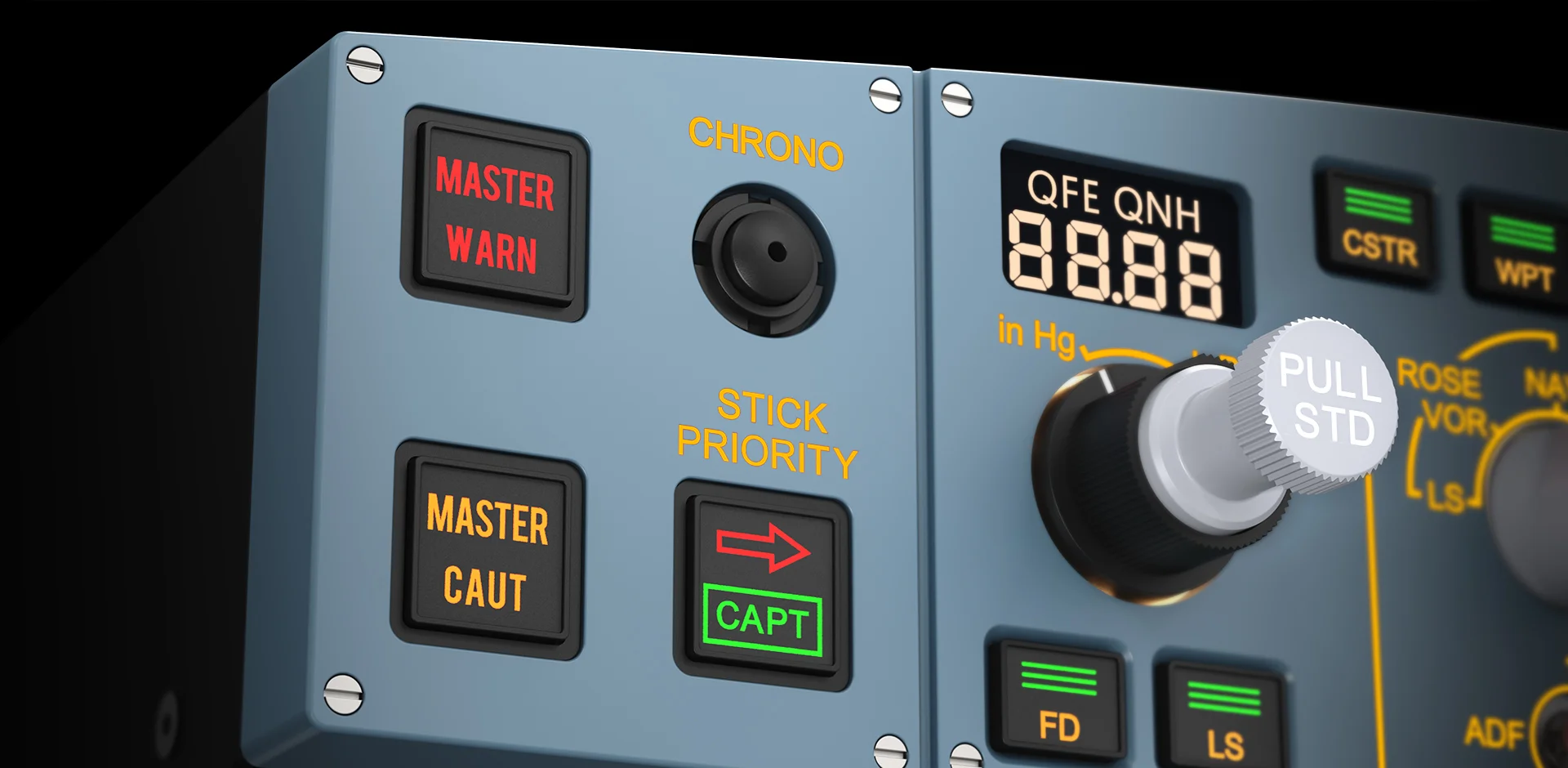
This corresponds to the original Airbus A320 glareshield, and I must emphasize it because this feature is simply not present on competing products.
The Right Radio Unit
It makes absolute sense not to waste the right side of a home cockpit with a duplicate EFIS unit just because “that’s how it is in the original.” Since there is no co-pilot at home to operate it, a second EFIS is essentially a waste of money and space. The WingFlex solution is much more practical: they use this space for a functional 4-in-1 device that combines:
- RMP (Radio Management Panel)
- ATC (Transponder)
- TCAS
- ATC MSG & AUTOLAND warning light/switch
Software
WingFlex offers its own app called “WINGFLEX Bridge Software,” which ensures plug-and-play functionality between the hardware and the software. It can also be used to perform firmware upgrades. Beyond that, the app is intentionally minimalistic—likely to avoid confusing the user with overly complicated menus.
Usage and Haptics
It’s certainly not exactly like the original—it can’t be, given the reduced size, production costs, and expanded functionality. Nevertheless (or perhaps because of it), it is very well executed! Everything turns, presses, and lights up beautifully.

The backlighting is very pleasant and adjusts automatically using the corresponding dimmer in the simulator. The digital displays are tack-sharp. Both are highly effective, especially in a dark room.
Extra Rotary Knobs

Another detail I only noticed toward the end of the test: WingFlex actually included the two rotary knobs for INTEG LT (Integral Lighting) and FLOOD LT (Flood Light) beneath the center unit. Best of all, both knobs are fully functional!
Squawk Entry
One more feature further liberates the user from “mouse-clicking” on the screen: the assigned Squawk code can be entered directly on the RMP Cube. By pressing the ATC button, the code is shown on the left display. The buttons have an unlabelled secondary function for digits 1 through 8, plus a delete key. While this is admittedly a bit fiddly at first and takes some getting used to, you quickly adapt to the workflow.
Test Environment and Compatibility
Performance during flight was, as expected, perfect: direct 1:1 operation with no delays, just as you would expect from high-quality devices. I tested it in MSFS 2024 with the Fenix A320 (CFM/SL). According to the manufacturer, the product supports all known A320 versions (and similar) in MSFS 2020/2024, X-Plane 11/12, and P3D (ProSim A320 and Jeehell A320).
Conclusion: A Little Giant on the Desk
In conclusion, WingFlex has filled a genuine gap in the market with the Cube Series and the accompanying CUBE STAND. What initially seemed like a compromise in size has proven to be a well-thought-out, space-saving, and ideal solution for desktop pilots.
The combination of effortless plug-and-play installation, surprising stability, and functional added value—such as the integrated warning panel and the clever 4-in-1 radio unit—makes this set a clear recommendation. WingFlex impressively proves that compact design and high immersion are not mutually exclusive.
If you don’t have the space for a 1:1 cockpit replica but still want precise tactile control and a tidy design, the Cubes offer what is currently perhaps the most attractive price-performance package on the market. A thoroughly successful setup that has earned a permanent place on my desk!
It is all available directly from the manufacturer here.


