


Istanbul Atatürk Airport, ICAO: LTBA is the main international airport serving Istanbul, Turkey and also the busiest airport in Turkey by total number of passengers. It was originally opened in 1924 and is located in Yesilköy which is on the European side of the city 24 km west of the city’s centre. The airport was renamed, in 1980, to Atatürk International Airport in honor of Mustafa Kemal Atatürk, the founder and first president of the Republic of Turkey. The airport served over 51 million passengers in 2013, making it the 17th busiest airport in the world for passenger traffic and 10th busiest in the world for international passenger traffic.
When looking at European statistics it was ranked the 5th busiest airport in 2013.
The airport has four terminals: terminal 1 – domestic flights, terminal 2 – international flights, terminal 3 – cargo flights plus a general aviation terminal. The airport has three runways: 17L/35R @ 9,843ft, 17R/35L @ 9,843ft and 05/23 @ 8,465ft. There are plans to add a fourth runway that would be located parallel to runway 05/23.
Installation
Installation is simple but requires an active internet connection to receive a personalized authorization code. Once this code is entered the process will continue through to completion. The entire process is straightforward and easy to follow. The final step adds the airport to the FSX scenery library.
Available from SimMarket’s product purchase page is an online tutorial that takes you through each screen of the installation process. I’ve included the link below. It is very well written and shows you exactly what you’ll need to do.
http://secure.simmarket.com/installation.html
Just as I was completing my review the scenery was updated. The obvious enhancements were: during the installation you are now given the choice of installing the scenery in FSX, P3D and P3DV2.
Configuration
There are no configuration options for this addon.
Documentation
After the installation was completed there were two documents available; a four page pdf document and a three page word document. The pdf was accessible via the scenery’s program group, SimMarket – T2G Ataturk Intl Airport.
The manual is extremely brief in content and contained the following: general airport information, scenery features, installation procedure and how to add the airport to the FSX scenery library plus a link that is supposed to take you to the recommended settings. This link actually takes you to the forum site. I was not able to find recommended settings anywhere. The word document had even less information plus several web links but this time neither one of them was valid. Overall the documentation was very basic with very little to help out if you found yourself with any questions.
Airport Scenery
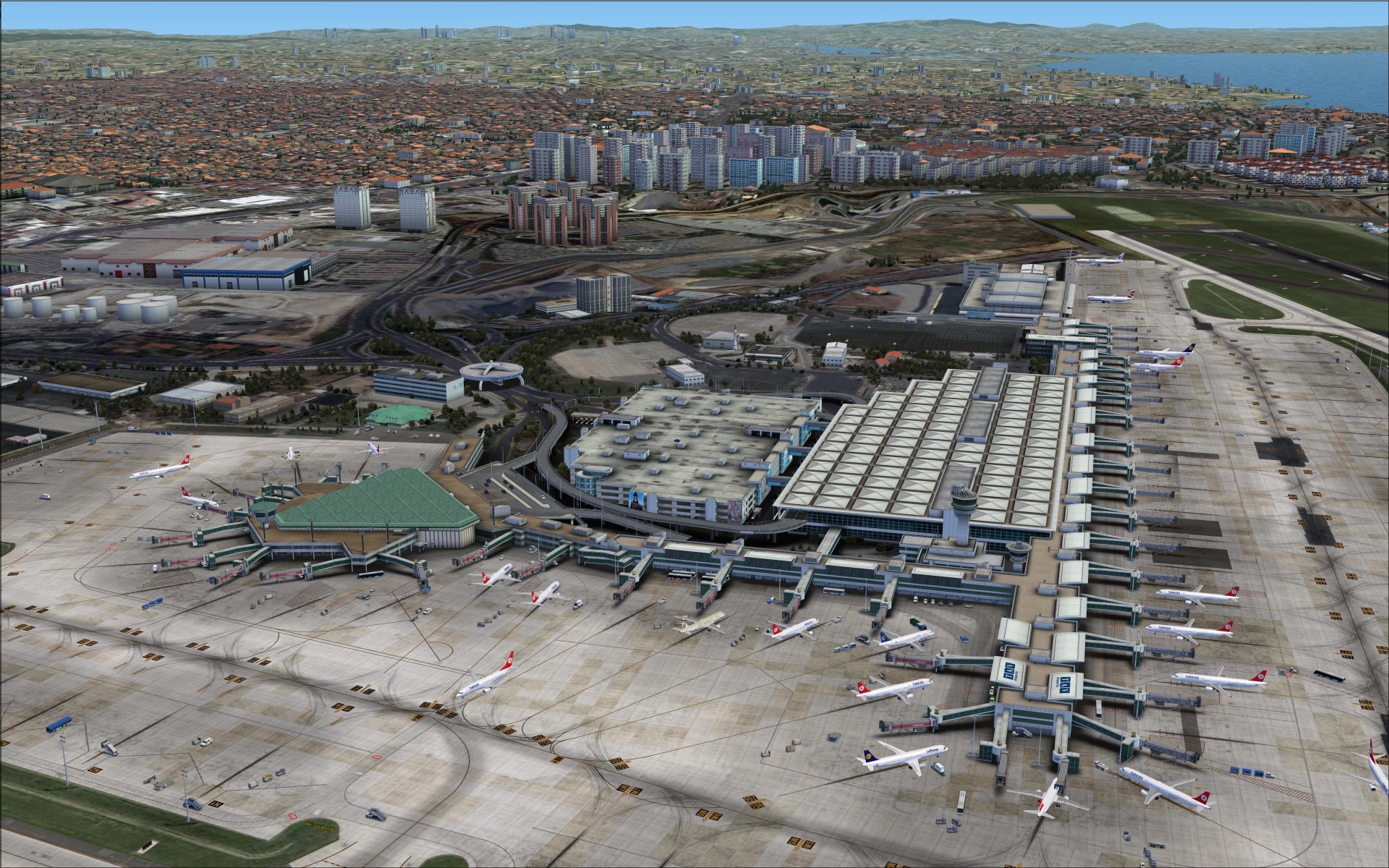
The first thing I wanted to do was check out the big picture difference between what Taxi2Gate created and what we have in FSX and to also get an idea of how far the coverage area actually extended beyond the airport. No need to say more the pictures speak for themselves.


Ground textures
Looking at base textures as the foundation for the airport I have to say that it was a pretty solid one; the quality was excellent and they were extremely realistic. I especially liked how we can see grooves in the concrete surfaces plus there are subtle variations in colouring as if areas had been replaced at different times. Once again a nice touch that accentuates the wear and tear and weathering you expect to find.

 Other surfaces such as grassy areas between runways and the roadways next to the airport were also very good clearly showing details although at extremely low altitudes some roadways and parking lots looked a bit blurry. They’ve augmented the grassy areas with volumetric vegetation, a favourite of mine as it adds another dimension of realism while on the ground.
Buildings
In general terms they did a great job in recreating the airport’s buildings; large or small the results were excellent. High resolution images, great colouring techniques and those extra details is how they managed to make the buildings look realistic.
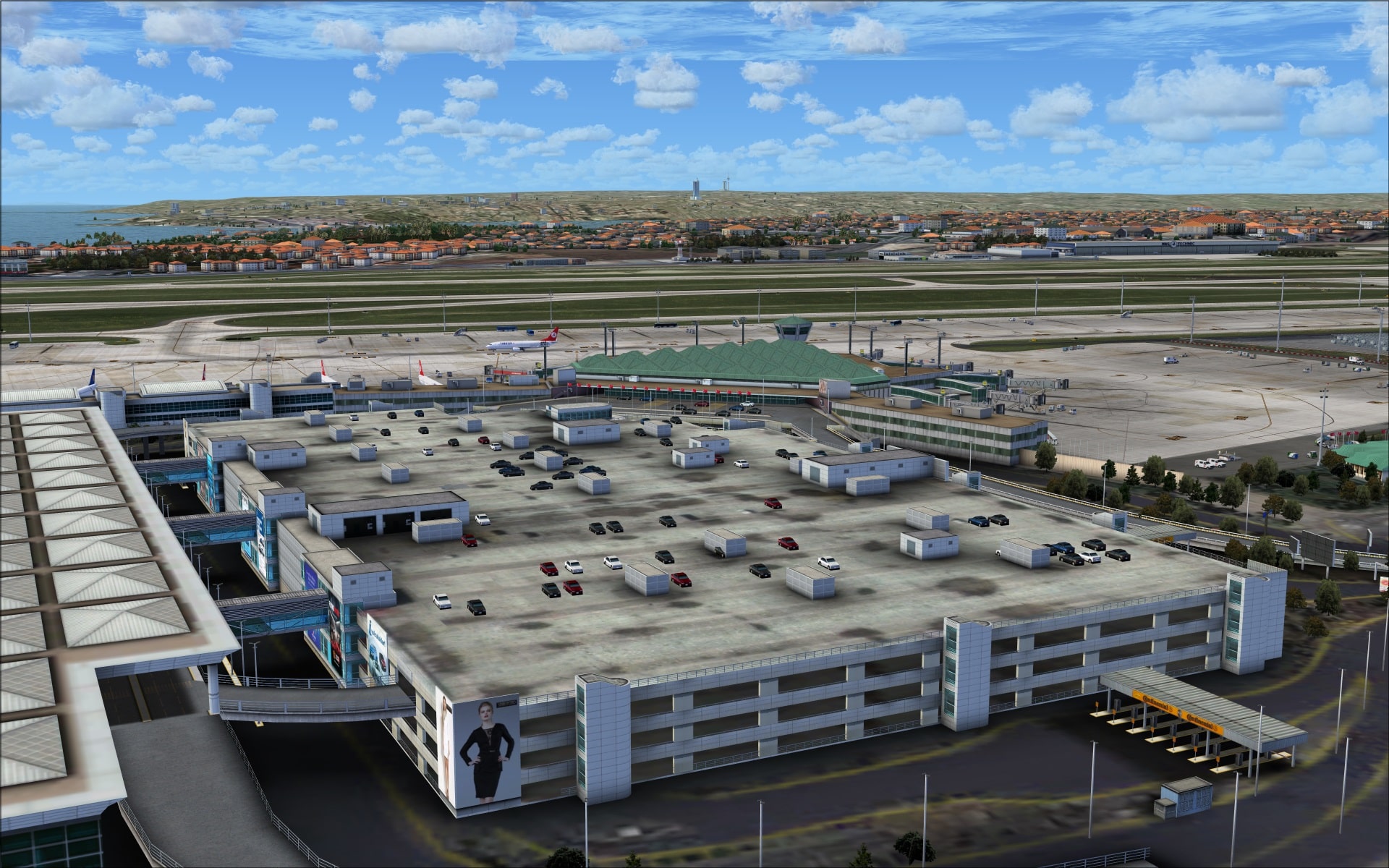
Like many other airports the most imposing structure was the passenger terminal complex. At Istanbul that consists of terminals A, B, control tower and the adjoining multi-storey car park.
There were several interesting features that helped to show off their modelling and rendering skills. The main parts of both terminal building’s roof tops are complex as they are covered in large part with square pyramids. They also incorporate lots of glass throughout; there are floor to ceiling glassed walls and the passenger bridges are also enclosed in glass. It was nice to see that all of those areas also appear to be transparent.
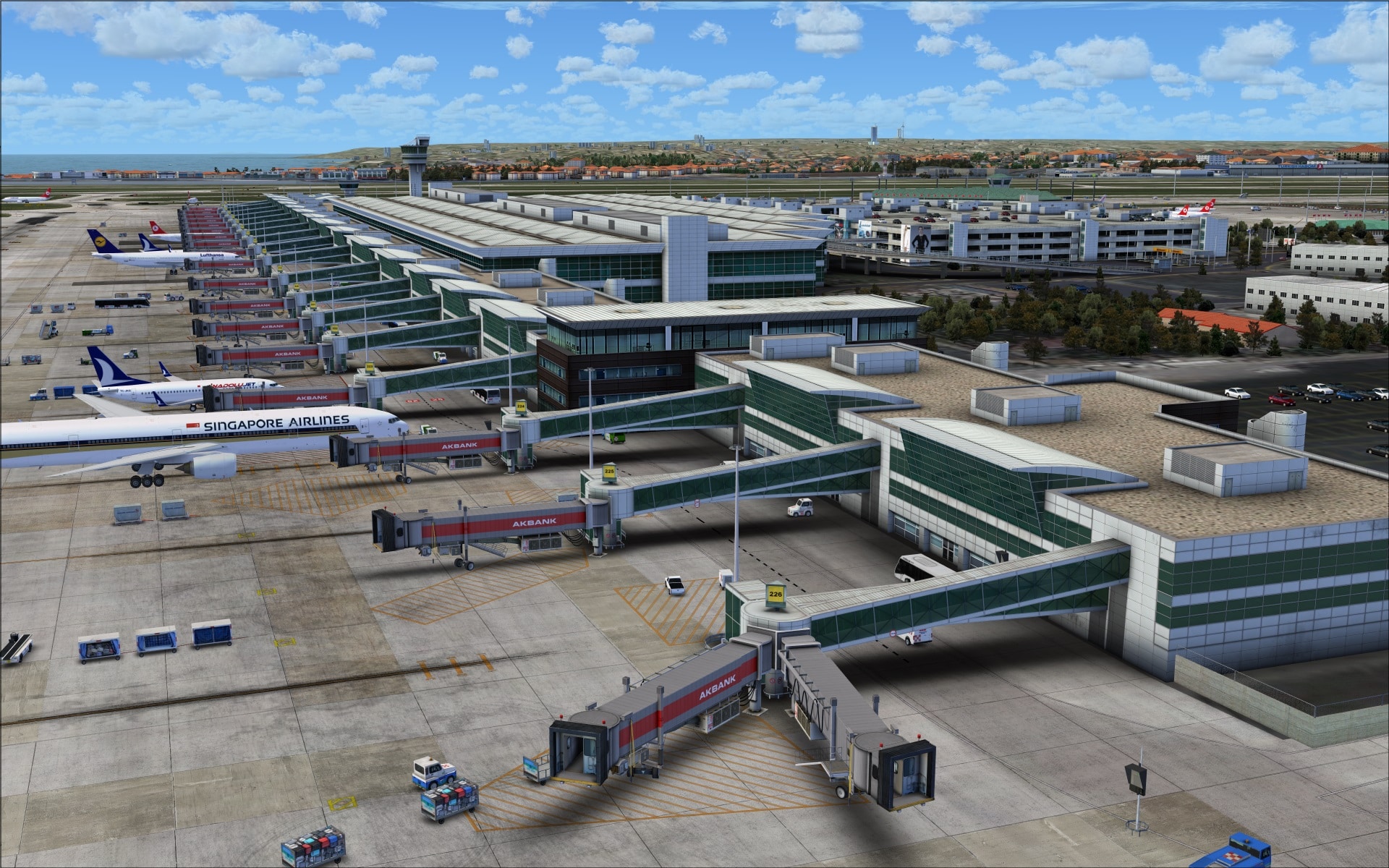



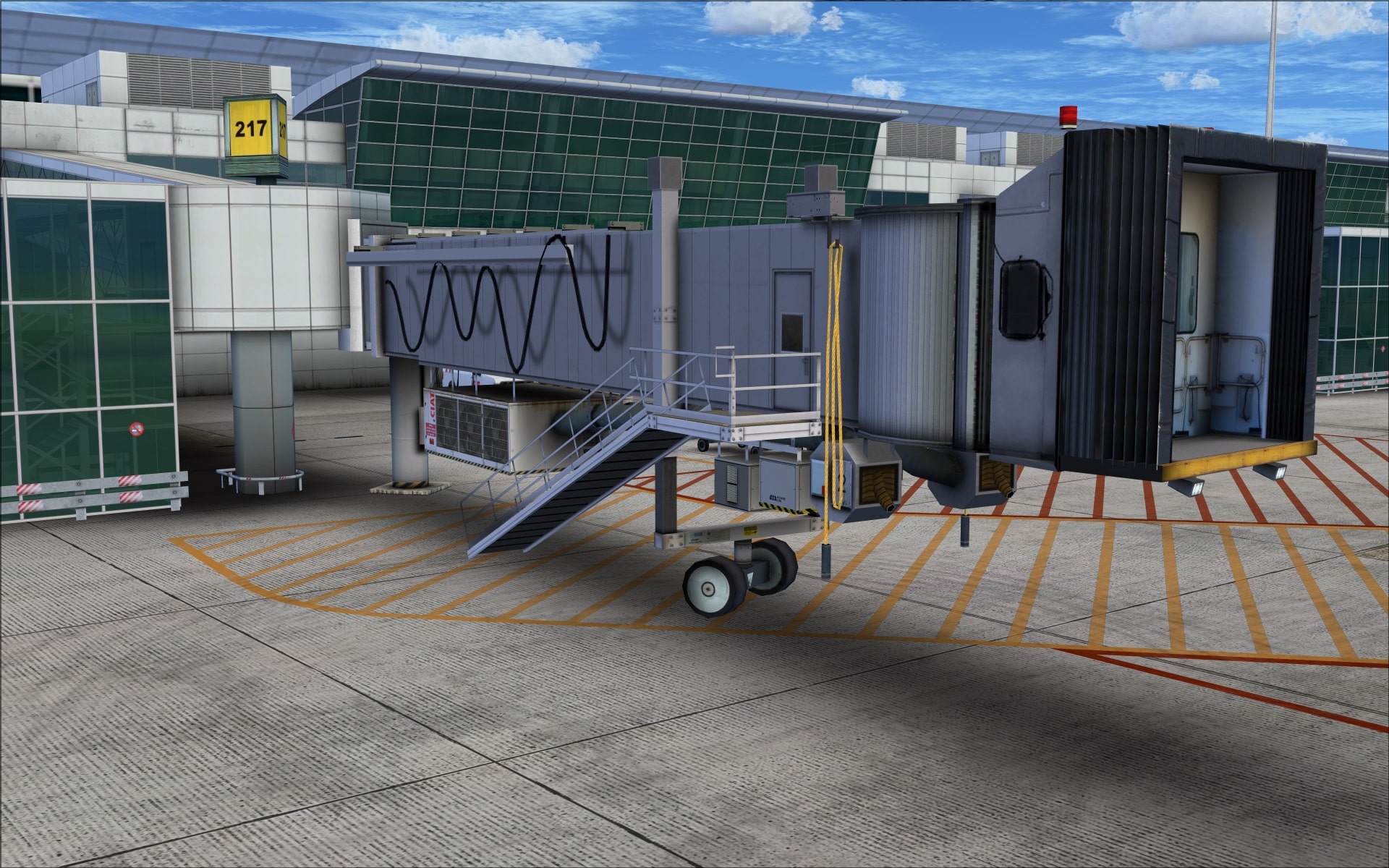
 Jet ways were exceptional. The level of detail was probably the best I’ve seen so far in any airport I’ve had the pleasure of reviewing. The two screenshots clearly show the amount of discrete detailing added. Hoses, electrical cables, air conditioning units, vent pipes and much more. As well the end of the jet way is not a simple flat image, they’ve modelled the platform, lights and the accordion type flange that fits against the aircraft. The hi resolution imagery also shows off plenty of intricate detailing that further enhances the entire jet way structure.


 While on the subject of jet ways, there were times when I observed aircraft parked at a gate and they didn’t fit. In these instances they appeared to be too large for the gate and their wings protruded through the jet way. I saw this mentioned on the forum and I hope that this problem can be corrected.
 The large multi-level car park includes cars parked on the upper most level which is always nice to see. So much more realistic than seeing it empty.
 Moving north of terminal 2 is the large maintenance apron and located next to it are the THY and MNG hangars and the engine test cell. The THY hangar has an interesting roof design that has an exposed roof support system that’s been modelled.


 Across on the western side of runway 17R/35L is where we find the general aviation terminal and hangar, the satellite fire station and next to the aircraft maintenance apron #2 the second MNG hangar.


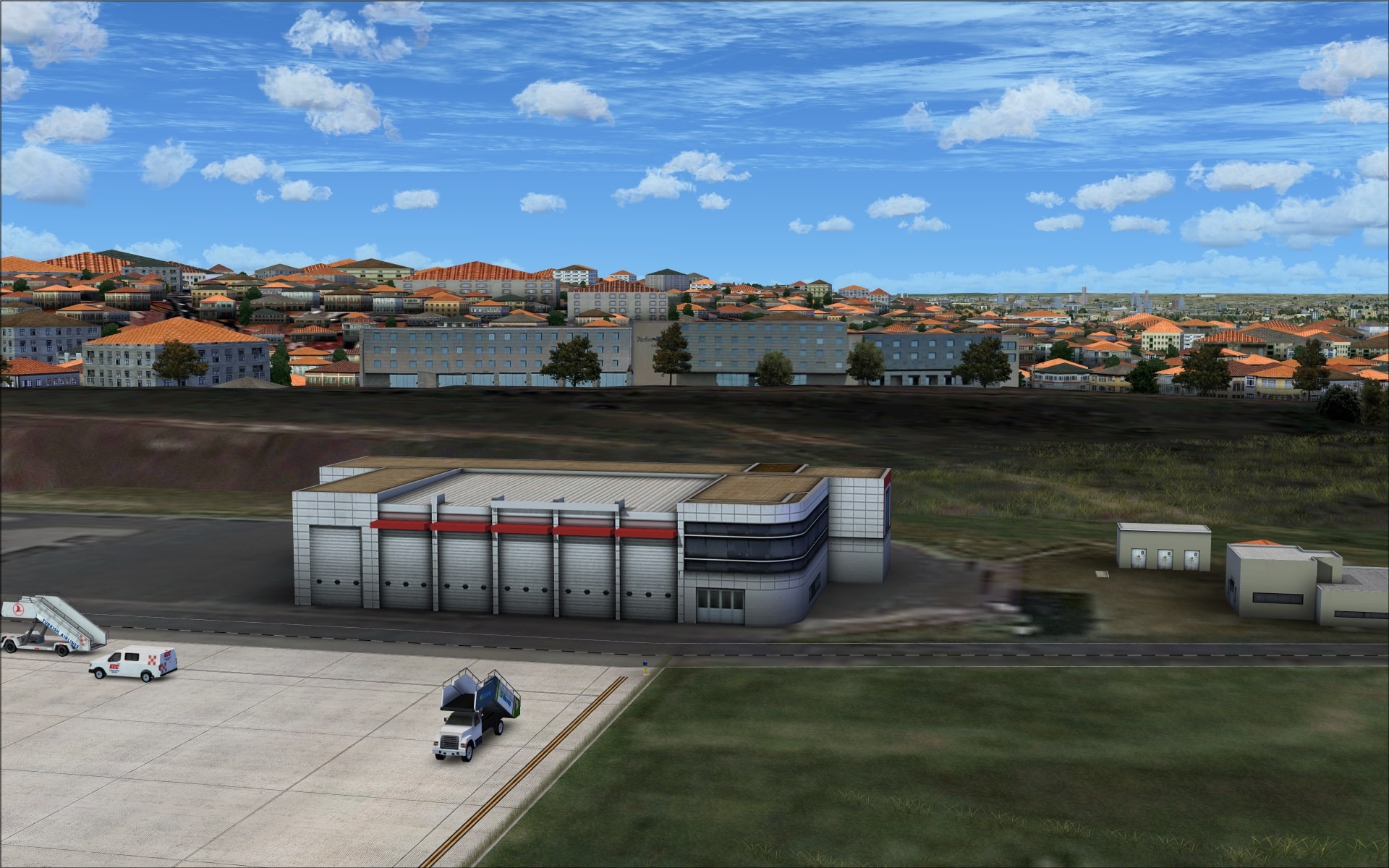

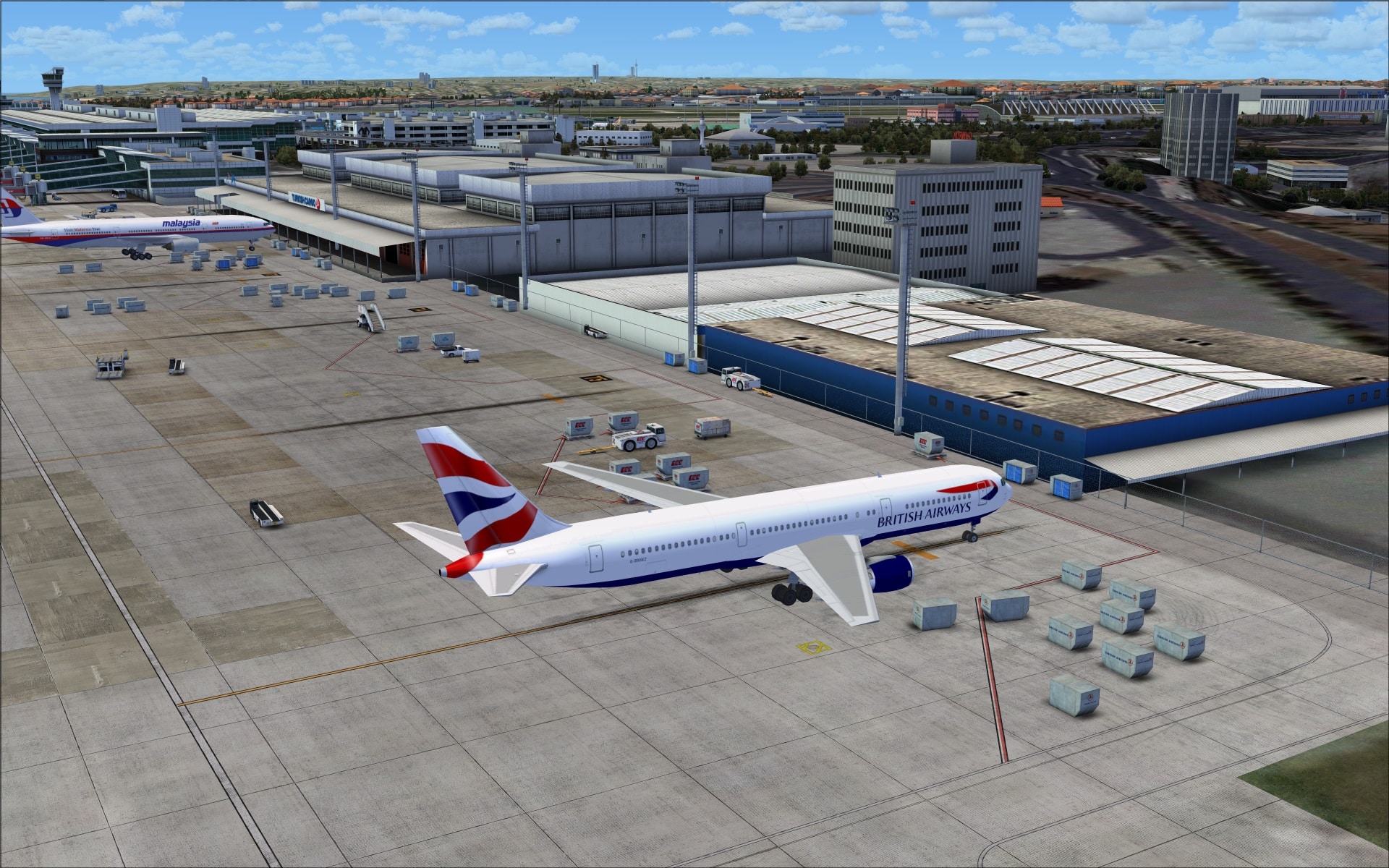
 Nestled between the terminal A south apron and taxiway F is a cluster of small structures such as the old control tower, the main fire station and several other small buildings used by some of the airport services. Although none of them is big or flashy the quality of the work was still very good and there was lots of variety in shapes and colours to show off their modelling skills. Right across from these buildings are the two cargo terminal buildings.


 South of runway 05/23 houses the military component of LTBA. Not much to see on this side of the airport except some hardened aircraft shelters. I would have been nice if they had added some static military aircraft, that way the area wouldn’t have look so deserted.

Objects and Vehicles
The quality of the product continued to impress as I explored this aspect of the addon. The objects they’ve added looked very good and fit in quite well everywhere. This is definitely a key element in making an airport look realistic. You can have the best looking buildings and ground textures but if the airport lacks the obvious components you expect to see for the day to day operations it just won’t look right.
I looked at this from two perspectives; on the ground and in the air. Each gives a very different point of view but both are equally important. The results were the same; very realistic. I especially enjoyed how, on the ground, the entire airport environment looked and felt like you’d expect it to if you were actually there, they did a great job! Lots to see and lots of activity. Flying overhead and looking down I have to say that again they were right on with the placement and number of objects/vehicles visible. Two very different perspectives but both equally impressive.


 There was something missing at LTBA however, the PAPI light fixtures. Very surprising when you look at the level of detailing they’ve included throughout the airport. I came across this same issue when reviewing their other recent release of Bratislava LZIB.
 Vehicles like objects also play a big part in making an airport look realistic. Quality was very good and the variety of vehicle types was also excellent. Baggage tugs and trailers, pushback tugs, buses, aircraft servicing vehicles near the main terminal and next to the cargo terminal there were lots of freight containers, pallet lifts and more. I also saw that most vehicles sported company logos just as you’d see in real life.


 Animations
Like most other airport addons vehicular traffic is the most obvious animation. The airport service roads are alive with all different types of vehicles moving about. Other animations also include rotating radar dishes and those detailed jet ways move using the ctrl-J key sequence. Added in the latest update were visual docking guidance assistance systems at the terminal gates.
Surrounding Area
The addon covers an area of approximately 50sq kms including the airport. In FSX it is not very inviting, pretty barren actually, but Taxi2Gate have added an accurate coastline, photo ground textures along with populating it with various structures. I found some of the textures a bit blurry but overall these features boost the visual quality of the area taking your experience to a whole other level while you frequent LTBA.


 There was a problem with scenery elevation in some spots. Buildings could be seen floating in the air stuck into the side of a hill. Thankfully these were limited and not all that evident while at the airport.
 Night
Night
The wow factor experienced during the daytime continued well into the night. Their dedication to building a top notch product was clearly evident here as well. The night time lighting was very realistic and that was the major factor in why I was so impressed. Ground lighting including the taxiway/runway markers weren’t too bright and also cast a glow in the areas immediately surrounding the fixtures. This is an effect that I really enjoy and one that makes a big difference while on the ground. So important if you are the type of sim pilot that takes the time to taxi from the runway to your gate or vice versa. Another interesting lighting effect was the halo effect seen below the apron pole light fixtures. It’s like you’re seeing the light penetrate the moist damp night time air. Building lighting was also well done, both interior and exterior lighting was realistic looking. Some of the buildings have signs that are brightly lit up appearing much more intense than other building lights. All in all very good.


 The only down side were the night time ground textures in those areas outside of the airport. They looked dull and out of place compared to the quality of those within the airport proper. The majority of the textures contained reddish tones that appear to be the areas that were illuminated. If they had included 3d lights as seen on some other products that would have made a tremendous difference.

 Final Thoughts
I simply loved this product. Every facet of the scenery was excellent. Like any product it had some problems but overall I felt that they hit the mark and the positives far outweighed any negative issues I may have come across. I will definitely be adding this one to my short list of “go to” airports.
My Ratings
Installer: Very good. Simple to use.
Documentation: Poor. Manual was brief with very little substance.
Modelling: Very good.
Extras: Various airport animations.
Download Size: FSX 173MB
Price: EUR 23.99 without VAT
Developer Homepage: http://www.taxi2gate.com
Link: http://secure.simmarket.com/taxi2gate-istanbul-atatuerk-airport-ltba-fsx.phtml
Test System:
Intel i7 960 OC @ 4.2 Ghz, 6 Gb RAM, Gigabyte GTX780 w3Gb video, Win 7 Ultimate 64, FSX w/acceleration, DX9, UT2, REX Overdrive, GEXn, UTX, AES, GSX, FSUIPC.
Richard Desjardins


