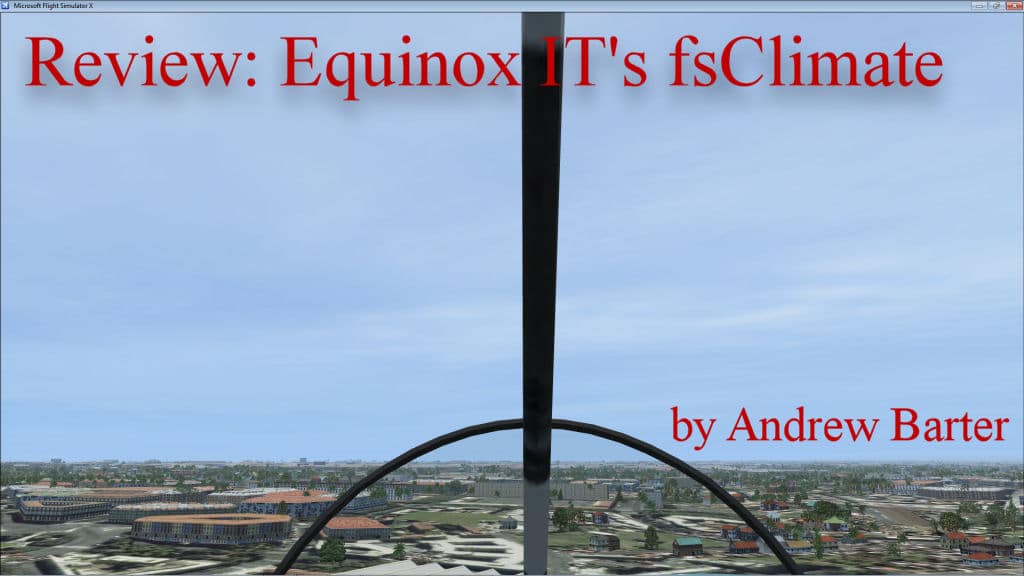
Real weather applications for FSX are not as commonly developed as aircraft or scenery add-ons so it’s nice when we see a new one on the market. fsClimate from Equinox IT is one that was developed as a very basic weather generator and uses live data from NOAA. Let’s see if this app is worth spending your money on.
Installation
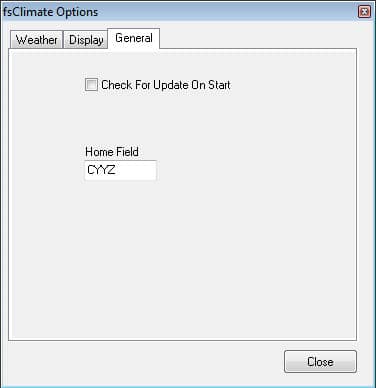
Very easy. Download the file and run the executable. You can start the app with or without FSX loaded. Without FSX loaded you will get weather for your home field which you define in the settings menu.
The Weather System

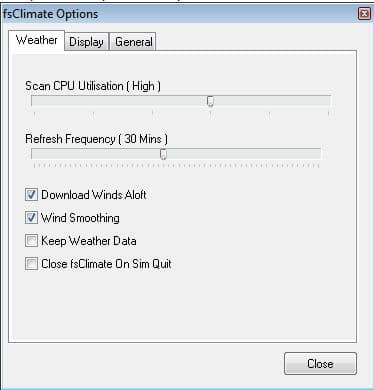
fsClimate downloads the current METAR from NOAA for the world and applies the weather at your current location to the entire world. This has a couple of benefits. First, the footprint of the application is very small taking up only 20k of your RAM. Secondly, the app isn’t using up your CPU to perform calculations to change the weather gradually to the next stations report. There is absolutely no framerate hit with this application.
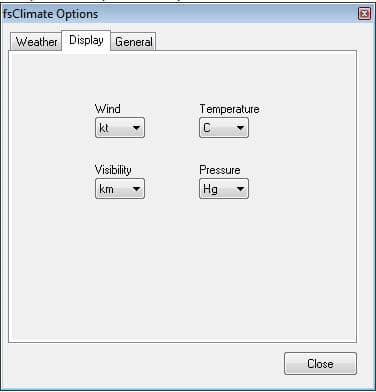
The settings screen allows you to change between imperial and metric numbers for each aspect of flight. This is very handy for people who live in Canada I can tell you. We have to use altitude in feet and temperatures in Celsius. You can also set the frequency of the updates and whether to save downloaded METARs or delete them. Save them if you want to do a flight later in the day using the weather accurate for the time of your flight. This is good if you are flying with a Virtual Airline.
You can also view the weather at your destination airport. This is where we run into some problems. When I enter the selected airport I’m not always given the weather for the airport I select. A quick scan of the downloaded METAR file tells me it’s misreporting the data because the airport I select is a station in the METAR file.
This brings me to another issue. As I’m flying along and passing stations fsClimate sometimes does not change its reporting station which should appear at the top of the list. I have to stop the weather engine and start it again to get it to update. One other thing, that’s just a personal preference, is that the app reports the winds as a direction such as 10kn N rather than 350 degrees @ 10 knts. This isn’t critical but reporting the actual wind degrees allows you to select a more appropriate runway if you are flying without ATC or landing at an airport with multiple runways.
Conclusion
I’m really on the fence about recommending this application. It is the cheapest FSX weather generator for FSX available at Simmarket, it’s fast and does not impact FSX’s performance. The support is via email only, they have no web site, some bugs that are workable, and they are asking $24.95 Can/USA or almost 18 Euros for a very basic weather app. You can use FSX’s own weather system which downloads METARs live, too. I didn’t see much of a difference between FSX’s native weather generator and fsClimate. fsClimate seemed to generate more cloud layers. For 18 Euros you can get a pretty decent airport add-on and use FSX’s native weather generator.
I’ll leave it up to you to decide on this one and I’ll stay sitting on the fence. 🙂
Developer: Equinox IT (no web site)
Filesize: 2mb, 20k in RAM
Price: ~$24.95 Can/USA or 17.84 Euros
The Simmarket purchase page is here.